
 614.224.6226
An AI chatbot for your website is a chat window that understands free-form questions, answers them from content you approve, and passes the visitor to your team when a person should take over. Done well, it answers the question that brought someone to your site, asks two or three questions that tell you whether they are a fit, and drops the lead where your team will see it. Done badly, it is a pop-up that gets in the way. The difference comes from planning, not software.
This guide walks through what these tools are, where they help a small or mid-sized business, how to design the conversation, and what to check before launch.
TL;DR
- An AI chatbot reads a visitor’s own words and answers from your approved content. A rule-based bot only follows the paths you drew.
- The best lead-focused bots answer first, ask second, and route each lead to the right person.
- Start with one job (for example, qualifying quote requests), train it on your service, pricing-process and FAQ pages, and add a clear handoff to a human.
- Plan for accessibility, privacy and accuracy before launch, not after.
- Measure conversations that turn into real inquiries, not chat volume.
Table of Contents
- What an AI chatbot for a website actually is
- Where a chatbot earns its keep
- How to design the conversation
- Train it on content you stand behind
- Perspective: why the chatbot is the last step, not the first
- Choosing an AI chatbot for your site
- Add the chatbot without hurting your site
- Accuracy, privacy and accessibility
- Measure what matters
- Where Marcy Design fits
- FAQ
- Sources
What an AI chatbot for a website actually is
A website chatbot is a software widget that sits on your pages and holds automated conversations through a chat window. It answers questions, points people to the right page, captures lead details and hands off to a human when needed, as Featurebase’s July 2026 guide describes it. What makes it “AI” is how it understands people. Modern versions use large language models to work out what a visitor means instead of following rigid decision trees.
That separates three tools that often get blurred together:
| Tool | How it works | Best at | Weak spot |
|---|---|---|---|
| Live chat | A person types every reply | Sensitive or high-value conversations | Needs staff on the clock |
| Rule-based chatbot | Scripted if-then paths and buttons | A fixed menu, simple routing | Gets stuck when a visitor types a sentence |
| AI chatbot | A language model answers from your approved content | Open questions, after-hours coverage, lead qualification | Needs good source content and a handoff plan |
IBM’s explanation of chatbot types makes the same split: rule-based bots act like interactive FAQs and often stall on complex requests, while AI-powered bots can understand a question however it is phrased.
Neither is better in every case. Intercom’s comparison suggests rule-based bots for simple routing, human live chat for sensitive or high-value conversations, and AI agents with human handoff for high volume or round-the-clock coverage. Most good setups blend them: the AI handles the volume, and people take the conversations that matter most.
Where a chatbot earns its keep
A chatbot is not a decoration. It is a lead-handling and visitor-guidance tool, and it works where visitors have questions and your team cannot answer every one the moment it arrives.
Lead capture and qualification
A contact form asks a stranger to commit before they have learned anything. A chat conversation can answer a question, then ask for details naturally. Picture a visitor asking a commercial cleaning company about service. The bot explains what is included, asks about the type of premises, learns it is an office of about 20 people, then asks for a name and email so a quote can follow. That is the flow Octively describes for small business sites: about 30 seconds, and a qualified lead at the end.
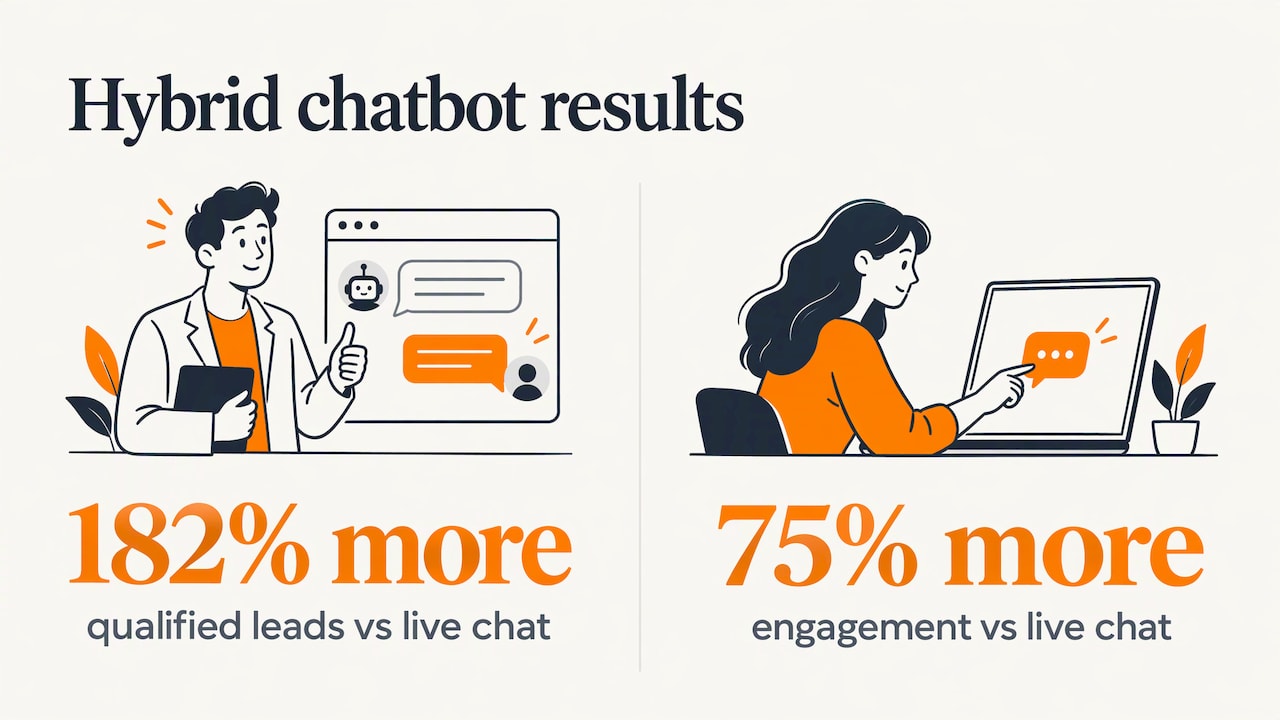
HubSpot reported a stronger result from a hybrid approach. Its 2023 chatbot, which sorted visitors into sales, support and other buckets before reaching a human, generated 182% more qualified leads than live chat, with 75% more people engaging. That was a large company with heavy traffic, so treat it as proof of the approach, not a forecast for your site.
Guidance on high-traffic information pages
HubSpot’s 2025 experiment put AI chat on high-traffic, lower-risk knowledge base pages and saw a 43% increase in chat conversion rates, with satisfaction scores matching human-led chats. The lesson for smaller sites: begin on pages where the questions are predictable and the stakes are modest, such as service descriptions, shipping details or frequently asked questions.
Product and project advice
Lowe’s Mylow is a well-known example. It is a conversational advisor on the retailer’s site that lets customers ask open-ended questions and get step-by-step guidance, product recommendations and how-to content, according to OpenAI’s case study. You do not need a national catalog to borrow the idea. A manufacturer can let an engineer type a spec question and get pointed to the right product page. A nonprofit can guide a visitor to the right program, volunteer form or donation page.
Ecommerce support
Online stores field the same questions repeatedly: where is my order, what is your return policy, which size should I choose. An AI chat widget can answer these from your policies and product data any hour of the day. If that is your situation, our look at AI for ecommerce goes deeper.
How to design the conversation
The software matters less than the conversation flow, the path from first message to captured lead. A flow that feels natural gets answers. One that feels mechanical gets abandoned.
Answer first, ask second
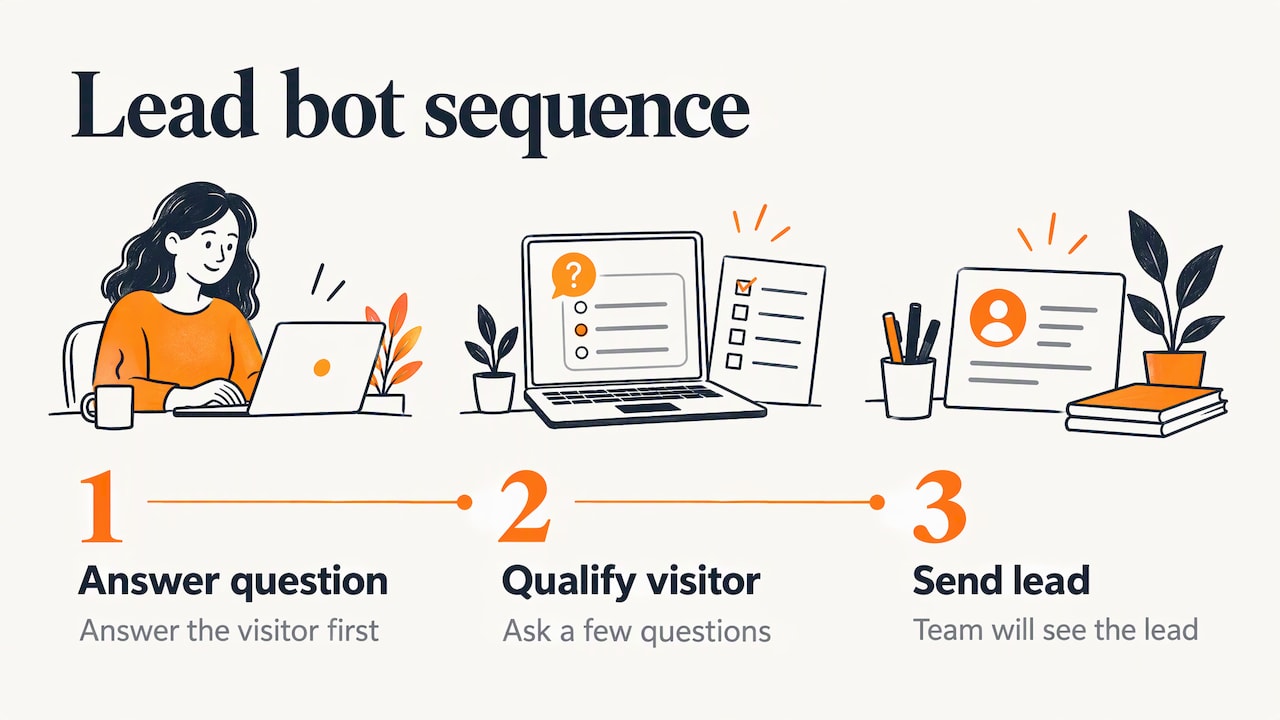
The most repeated rule among practitioners is also the most important. AI BotKit’s guide says a working lead bot does three things in order: answers the visitor’s question, asks a few questions that reveal whether the person is worth your time, and puts the lead somewhere your team will see it. Demanding a name, phone number and email before the bot says anything rebuilds the form the visitor was avoiding.
Ask only what your team uses
Every question should map to a decision. Service type, location, timing, scope and budget range are common ones. If nobody on your team uses a field, do not ask for it. A lead is a lead only when you have enough information and permission to continue the conversation.
Give visitors buttons as well as a text box
Opening a chat and tapping a contextual button takes less effort than typing. NinjaOne’s chatbot, for example, appears a few seconds after a visitor lands and offers four options: book a meeting, start a free trial, watch a short demo, or get customer support, as described in its guide. Pair quick replies with open typing so visitors who know what they want can skip ahead.
Plan the handoff
The handoff is where leads are won or lost. The same guide advises against going back and forth in chat more than four times without offering a call or email, because the goal is to capture the lead while it is warm. A good handoff:
- Tells the visitor a person is stepping in and when to expect a reply.
- Passes the full transcript so nobody asks the same question twice.
- Routes by topic, such as sales, support or a specific service line.
- Works outside business hours by promising a specific follow-up window.
Sample flow for a service business
- Greeting with three buttons: “Get a quote,” “See our services,” “Ask a question.”
- Visitor picks “Get a quote.” The bot asks what type of project it is.
- The bot gives a short, accurate description of how that type of project works at your company.
- It asks about timeline and location, which tells you whether the lead is in your service area.
- It offers a call, a calendar booking or an emailed follow-up, then asks for contact details.
- The lead and transcript go to the right inbox or CRM, tagged with the topic.
Train it on content you stand behind
An AI chatbot is only as good as what it reads. Denser AI’s guide recommends starting with one clear use case, using clean source content, and setting up prompts, fallbacks, testing and human handoff, and training first on product, pricing, FAQ and support pages before expanding to broader content. That order makes sense for any business.
Before you connect anything, do this housekeeping:
- Audit your pages. Outdated service descriptions become outdated chatbot answers.
- Write down the top 20 questions your team gets by phone and email, with approved answers.
- Set boundaries. Decide what the bot should never answer, such as legal advice, custom quotes or anything involving a customer’s account, and what it says instead.
- Write the fallback. A bot that says “I don’t know, please contact us” on the second message is worse than no bot, as Octively puts it. If a question is outside its knowledge, it should still offer a useful next step: a relevant page, a callback or a booking link.
- Connect your systems. Leads should flow into your CRM or email with name, contact details and what the visitor asked about. That context makes follow-up faster than a cold form submission.
Perspective: why the chatbot is the last step, not the first
We have been building websites for more than 38 years, and the pattern is consistent: a chatbot amplifies whatever your website already does. If your pages explain your services clearly, load quickly and make the next step obvious, a chatbot makes those strengths easier to reach at 9 p.m. on a Sunday. If your pages are vague, a chatbot just gives visitors a faster way to feel confused.
That is why we treat an AI chatbot as part of the website, not a bolt-on widget. The content it draws from, the design of the chat window, the way leads reach your inbox and the way the whole thing performs on a phone all belong to one plan. Our approach is tailored to each business, grounded in user-focused design and technical implementation, and judged on measurable results such as inquiries, not novelty.
For the small businesses, manufacturers and nonprofits we work with, we usually recommend starting narrow: one job, one set of trusted content, one clear handoff to your team. Prove it, then expand. A chatbot that does one thing well builds more trust than one that tries to do everything.
Greg
Choosing an AI chatbot for your site
You will see many options, from simple embed-code widgets to custom builds connected to your own systems. Rather than comparing brand names, compare on the criteria that decide whether it works for you.
| Criterion | What to look for |
|---|---|
| Source control | You decide what it reads and can correct a wrong answer quickly |
| Handoff | Live transfer to a person, with transcript, during and after business hours |
| Lead routing | Leads reach your CRM or email tagged by topic |
| Design fit | Colors, wording and placement match your brand and do not cover key buttons |
| Mobile behavior | Opens cleanly on a phone and does not block content |
| Accessibility | Works with keyboard and screen readers |
| Privacy | Clear data handling and a visible notice that visitors are talking to AI |
| Reporting | Shows conversations, questions it could not answer and leads captured |
A ready-made widget is quick to install and fine for a simple FAQ. If you need the bot to reflect a specific brand, pull from your product data, or connect to your CRM, a custom integration is usually the better fit. Our guide to AI chatbots for local business covers that integration in more detail.
Add the chatbot without hurting your site
Adding a chatbot is often as simple as pasting a script, but where and how it loads affects the experience.
- Placement. Keep the launcher in a corner that does not cover calls to action, especially on mobile.
- Timing. A bot that pops open instantly annoys people. A short delay or a trigger on pages with buying intent works better.
- Page speed. Chat scripts add weight. Load them after the main content so they do not slow the first view.
- Page targeting. Show it where it helps: service pages, pricing-process pages, product pages. Leave it off pages where it distracts, such as a checkout form already in progress.
- Audience targeting. HubSpot found that a customer-facing bot performed 52% better when shown only to existing customers than when shown to all visitors. Different visitors need different bots.
If you are redesigning your site anyway, build the chat experience into the plan from the start. Our piece on lead generation website design shows how page structure and calls to action work alongside tools like chat.
Accuracy, privacy and accessibility
These three areas cause most chatbot problems, and each is easier to handle before launch.
Accuracy
An AI bot that invents an answer about your service, warranty or timeline reflects on your business. Limit it to approved content, give it clear instructions on what to decline, and review the transcripts weekly in the first month. Treat every question it fumbles as a gap in your content, then fix the content.
Privacy and honesty with visitors
In the United States, the Federal Trade Commission has repeatedly cautioned companies using AI chatbots. A law firm summary of the FTC’s guidance lists five pitfalls to avoid, focused on transparency, accountability and consumer privacy. In practice that means telling visitors they are talking to an automated assistant, collecting only the data you need, saying how it will be used, and making sure marketing claims the bot makes are ones your business can back up. If you handle regulated information, talk to your attorney before you launch.
Accessibility
A chat widget is part of your site, so it has to work for people using keyboards and screen readers: the launcher reachable by keyboard, focus moving into the window when it opens, and new replies announced to assistive technology. Test it with a keyboard alone and a screen reader before launch, and ask your vendor or developer how the widget meets the Web Content Accessibility Guidelines. Accessibility is a service we offer, and we recommend including the chat window in any accessibility review.
Measure what matters
Chat volume is a vanity number. Track what the business cares about:
- Qualified leads captured per month, and how many became real conversations or quotes.
- Source of the lead: which pages produce chats that convert.
- Handoff rate and response time: how quickly a person follows up after the bot passes a lead on.
- Unanswered questions: the list your content team should work through.
- Visitor satisfaction, if you collect it. HubSpot’s team called satisfaction matching human-led chats a game-changer in its experiment.
Review these monthly. Adjust the opening message, the buttons and the questions based on where visitors drop off. Small changes to the first message often matter most.
Where Marcy Design fits
If you want an AI chatbot that fits your brand and your sales process, we can plan it as part of your website. Marcy Design is a Columbus, Ohio agency with more than 38 years in business and over 230 awards, and we build custom sites, applications and AI-powered website and marketing solutions for small businesses, manufacturers, nonprofits and veteran-owned businesses. We can help with the content, design, integration and follow-through that make a chatbot work.
Learn about our AI website integration services, see how we approach lead generation, or contact Marcy Design to talk through your project.
FAQ
How much does an AI chatbot for a website cost?
Costs depend on whether you use a ready-made widget or a custom build connected to your CRM and content. We do not publish prices for our services, so the best route is to describe your goals and let us scope the project. Whatever route you take, budget for content preparation and ongoing review as well as the software.
Will an AI chatbot replace my sales or support team?
It works best alongside them. The bot handles common questions and first-pass qualification at any hour, and your people take the conversations that need judgment. Intercom’s guidance points the same way: AI agents with human handoff for volume, and people for sensitive or high-value conversations.
How long does it take to add a chatbot to a website?
Installing a basic widget can take minutes. A useful one takes longer because you need approved answers, conversation flows, lead routing and testing. Plan for the content and handoff work to take most of the time.
What should a chatbot know about my business?
Start with what you do, where you operate, how your process works, and answers to the questions customers ask most. Add pricing information only where you are comfortable the bot can state it accurately. Expand to broader content once the first set is working.
Is a chatbot better than a contact form?
They do different jobs, and many sites keep both. A form suits visitors who are ready to submit details. A chatbot helps those who have a question first, and it can pass along the context of what they asked, which makes follow-up warmer.
Sources
- Featurebase: How to Create a Chatbot for Your Website
- IBM: Types of Chatbots
- Intercom: Chatbot vs Live Chat vs AI Agent
- Octively: Using an AI chatbot for lead generation on a small business website
- HubSpot: How Using Humans and Chatbots Together Generated 182% More Qualified Leads
- HubSpot: AI Experiment on Chat
- HubSpot: How HubSpot Personalized Our Chatbots
- OpenAI: Lowe’s case study
- AI BotKit: Lead Generation Chatbot Guide
- NinjaOne: Using Chatbots for MSP Lead Generation
- Fenwick: FTC Outlines Five Don’ts for AI Chatbots