
 614.224.6226
If your business serves the public, the ADA applies to your website, even though no federal rule yet spells out a technical standard for private businesses. The Department of Justice (DOJ) says the law’s general ban on disability discrimination covers the web, and it points to WCAG as a reference for meeting that duty. In practice, that means building and maintaining your site to WCAG 2.1 Level AA at a minimum, and ideally WCAG 2.2 AA.
This guide explains who is covered, what the 2026 deadlines do and do not mean for you, and how to get a site into shape without wasting money on shortcuts.
TL;DR
- Title III of the ADA covers businesses open to the public, and the DOJ treats their websites as part of the goods and services they offer.
- The only federal web rule with a hard technical standard (WCAG 2.1 AA) applies to state and local governments, with deadlines of April 26, 2027 and April 26, 2028.
- Private businesses have no codified standard, so WCAG 2.1 AA is the practical target and WCAG 2.2 AA is the safer one.
- Automated scanners and one-click overlays cannot certify compliance. Manual testing and accessible design from the start are what work.
- Fixing accessibility during design costs far less than retrofitting a finished site.
Table of Contents
- Does the ADA apply to your website?
- What the 2026 rule changes actually cover
- WCAG 2.1 or WCAG 2.2: which should you build to?
- A practical ADA website compliance checklist
- How to test: why a scanner is not enough
- Build it in, don’t bolt it on
- Our perspective
- Costs, tax benefits and what to budget
- Getting started: a five-step plan
- How Marcy Design can help
- FAQ
- Sources
Does the ADA apply to your website?
The ADA has several titles. Two matter for websites.
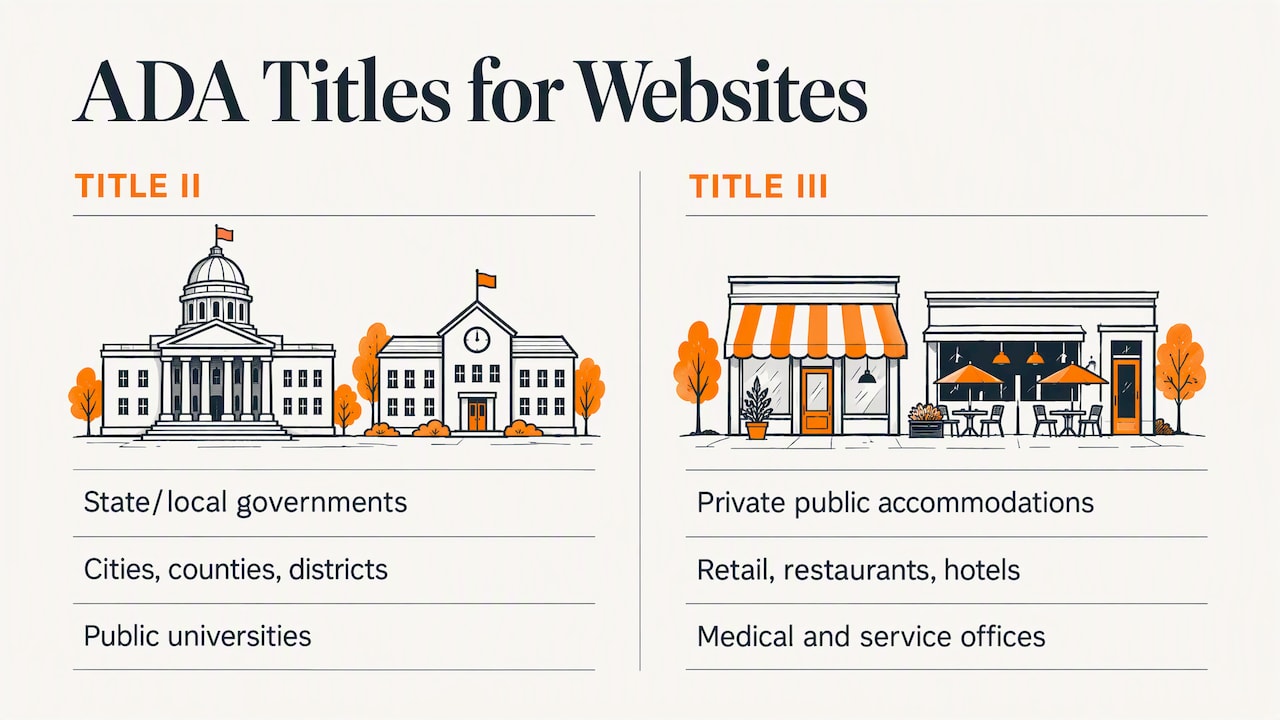
Title II covers state and local governments: cities, counties, school districts, public universities and similar entities. Title III covers “public accommodations,” which means private businesses open to the public: retail stores, restaurants, hotels, medical and professional offices, and many service companies.
The DOJ’s position, laid out in its web accessibility guidance, is that Title III’s nondiscrimination and effective communication requirements extend to a business’s online goods, services and programs. Its filings in court say the same thing. In a statement of interest in a case against a grocery chain, the government argued that the statute’s plain language does not support the idea that a website falls outside the law.
A common mistake is assuming that a compliant storefront makes the website exempt. It does not. If a customer who is blind cannot use your online booking form, quote request or checkout, that is a barrier to your services, whatever your building looks like.
What about B2B companies? The legal test turns on whether you operate a place of public accommodation, not on whether you sell to consumers. A manufacturer that only sells to other businesses may sit in a different position than a retailer, and that is a question for your attorney. Even so, your buyers, employees and applicants include people with disabilities, and many large customers and public-sector buyers now ask for accessibility in their vendor requirements. Treating accessibility as a baseline quality of the site is the sound business answer either way.
What the 2026 rule changes actually cover
Headlines about “the new ADA web rule” cause confusion, so here is the precise picture.
The DOJ’s final rule on web and mobile app accessibility, published in 2024, applies to Title II entities, meaning state and local governments. It sets WCAG 2.1 Level AA as the technical standard. An interim final rule from April 2026 pushed the compliance dates back by a year:
| Entity | New compliance date | Standard |
|---|---|---|
| Public entities with a population of 50,000 or more | April 26, 2027 | WCAG 2.1 AA |
| Public entities under 50,000 and special district governments | April 26, 2028 | WCAG 2.1 AA |
If you are a private business, these dates do not apply to you directly. Two things follow, though.
- If you build or host websites, portals or apps for a city, county, school district or other public body, your client may need your work to meet WCAG 2.1 AA by those dates. Check contracts now.
- The rule shows where the DOJ’s thinking sits. WCAG 2.1 AA is the benchmark the government chose, so it is the sensible reference for Title III obligations as well. The DOJ’s own guidance suggests WCAG as a way to meet the existing duty.
No federal regulation currently sets a specific technical standard for private businesses. That gap does not remove the obligation. It means the standard is argued case by case, which is why aiming at a recognized benchmark is the best protection.
WCAG 2.1 or WCAG 2.2: which should you build to?
WCAG, the Web Content Accessibility Guidelines from the W3C, is organized around four principles: content must be perceivable, operable, understandable and robust. Each guideline has success criteria at levels A, AA and AAA. Level AA is the one that laws and policies almost always reference.
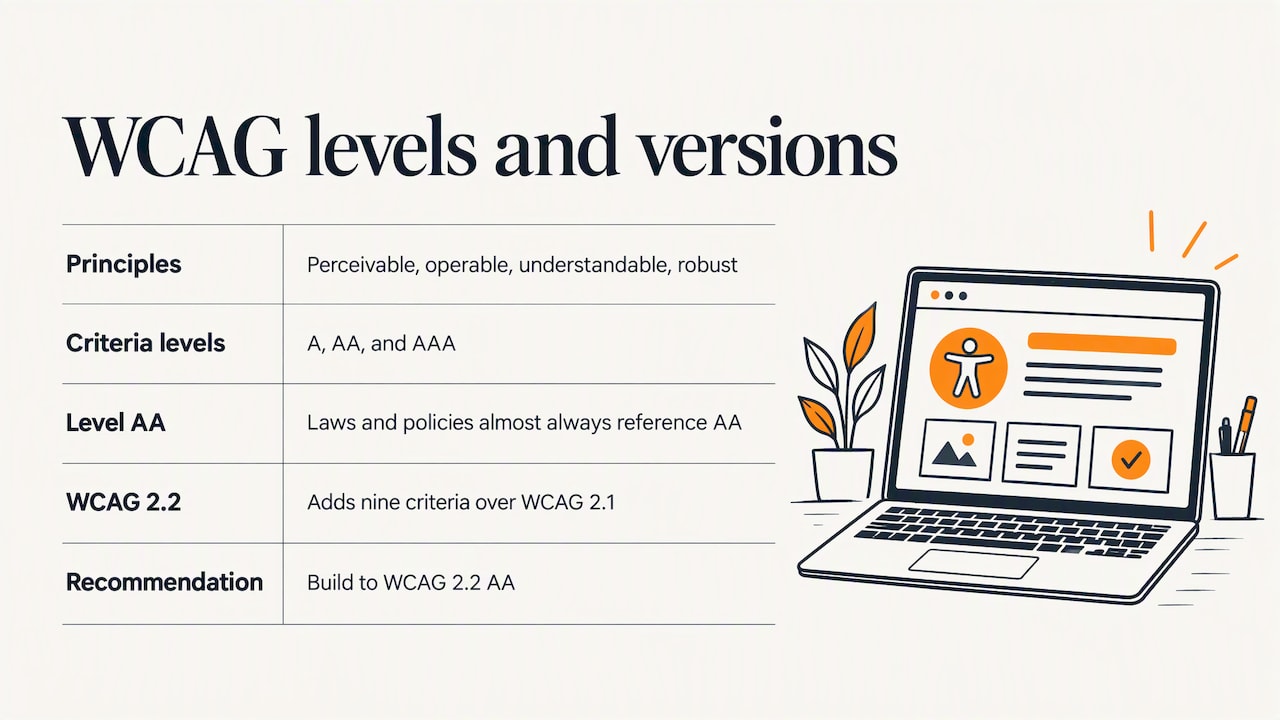
WCAG 2.2 became a W3C Recommendation in October 2023 and adds nine success criteria over 2.1. Content that conforms to 2.2 also meets the 2.0 and 2.1 requirements, and the W3C advises using the most current version so your work stays applicable longer. Existing policies often still cite 2.0 or 2.1.
Our recommendation is simple: build to WCAG 2.2 AA. You satisfy the 2.1 AA standard the DOJ uses for government sites, and you do not have to redo the work when references update. The new criteria in 2.2 include practical items such as keeping help in a consistent location across pages and not forcing users to solve, recall or transcribe something to log in or complete a task.
A practical ADA website compliance checklist
This is not a full audit, but these are the areas where business sites most often fail. The DOJ’s guidance names several of them: poor color contrast, missing text alternatives, inaccessible forms and mouse-only navigation.
Text alternatives and media
- Give every meaningful image alt text that describes its purpose, not just its file name. Decorative images should be marked so screen readers skip them.
- Provide captions for video and transcripts for audio.
- Avoid putting important information only inside an image, such as a promotion in a banner graphic.
Color, contrast and text
- Check that text has enough contrast against its background. WCAG AA sets minimum contrast ratios for normal and large text.
- Do not use color alone to signal meaning, such as red for errors with no text or icon.
- Make sure the page still works when users zoom text or use a narrow screen. A responsive layout helps here, and our piece on responsive business websites covers the design side.
Keyboard and navigation
- Every link, button, menu and form control must work with a keyboard alone, in a logical order, with a visible focus indicator.
- Provide a way to skip repeated navigation.
- Use clear headings in a logical hierarchy, so screen reader users can scan the page the way sighted users do.
Forms and checkout
Forms are where revenue happens, and where inaccessible sites lose people. The W3C’s developer tips call for proper label associations on form controls and advise avoiding CAPTCHA where possible, since it creates problems for many people. Also check that error messages are announced and tell people how to fix the problem. If you run an online store, every step from product page to payment confirmation needs to be tested. Our ecommerce work treats this as part of the build, not an add-on.
Structure and code
- Use semantic HTML elements (real buttons, real lists, real headings) before reaching for ARIA attributes.
- Make sure custom widgets such as sliders, date pickers and modal windows expose their name, role and state to assistive technology.
- Keep PDFs and downloadable documents accessible too. Brochures and spec sheets are often forgotten, and manufacturers tend to have a lot of them.
Mobile
Touch targets, orientation and zoom matter on phones. If you offer an app or a mobile experience, it needs the same attention as the desktop site.
How to test: why a scanner is not enough
Automated tools are useful for catching missing alt attributes, low contrast and some code errors. They are a starting point only. The DOJ’s guidance notes that automated checkers cannot identify all barriers and that a clean report does not guarantee compliance. Whether alt text is meaningful, whether the reading order makes sense, and whether a form is truly usable with a screen reader all require human judgment.
A sound testing process combines four layers:
- Automated scan to catch the obvious, repeatable errors across every template.
- Keyboard-only walkthrough of your key journeys: contact form, quote request, checkout, login.
- Screen reader testing of those same journeys, ideally with people who use assistive technology daily.
- Content review of PDFs, videos and any third-party embeds such as chat widgets and booking tools.
Test again after every significant redesign, new feature or plugin update. Accessibility is a maintenance practice, not a one-time certificate.
The overlay trap
You will see widgets promising instant compliance with one line of code. The same limits apply to them as to scanners: they cannot fix problems that need human judgment, and they do not replace an accessible build. If a vendor promises complete protection from lawsuits for a monthly fee, be skeptical and ask for a manual audit of your actual site.
Build it in, don’t bolt it on
The W3C’s guidance is clear that accessibility belongs in the design and development workflow. Retrofitting at the end of a project costs more and works less well than planning for it from the start. Semantic HTML, labeled form controls and keyboard-friendly navigation are cheap when done during the build and expensive to untangle later.
If your current site was built years ago, a redesign is often the most efficient moment to fix accessibility at the root. Our guide to signs you need a new business website lists the other triggers worth weighing.
Our perspective
We have been building websites for more than 38 years, and the pattern we see has not changed: businesses treat accessibility as a legal problem to be dealt with after the design is approved. That is the costly way to do it.
Our view is that an accessible site is a better site. Clear headings, readable contrast, labeled forms and keyboard-friendly navigation help the older customer, the person on a phone in bright sunlight, and the buyer with a broken wrist as much as they help a screen reader user. The W3C’s accessibility initiative frames it the same way: designing for the full range of human ability, not ticking a legal box.
So we build accessibility into the design stage, we test with more than a scanner, and we tell clients plainly that no vendor can honestly promise a lawsuit-proof site. What we can promise is a site built to a recognized standard, documented and maintained, which is the strongest position a business can be in.
— Greg
Costs, tax benefits and what to budget
We do not publish fixed prices, because the work depends on the size of the site, the number of templates, and how much custom functionality sits behind it. A brochure site with a handful of templates is a very different job from a store with custom checkout logic.
One point owners often miss: the DOJ notes that small businesses may be eligible for a tax credit for access improvements, and businesses of any size may take a tax deduction for such costs. Ask your accountant whether website accessibility work qualifies in your situation before you budget.
Getting started: a five-step plan
- Inventory your digital properties. List the website, web apps, mobile apps, PDFs, videos and third-party tools customers touch.
- Run an automated scan and a keyboard test on your five most important pages. This takes an afternoon and shows how deep the problems go.
- Commission a manual audit against WCAG 2.2 AA, with a prioritized list of fixes.
- Fix by priority. Start with forms, checkout, navigation and anything that blocks a task entirely.
- Publish an accessibility contact and keep testing. Give visitors a way to report a barrier, answer promptly, and re-test after changes.
Keep records of what you tested and fixed. A documented, good-faith effort is a far better position than silence if a complaint arrives.
How Marcy Design can help
If you want accessibility handled as part of a build rather than as an afterthought, our team designs and develops custom business websites with accessible structure from the first wireframe, and we also offer web accessibility services for existing sites. For online stores, our ecommerce web applications get the same treatment through the cart and checkout. Tell us about your site on our contact and proposal page and we will say where we would start.
This article is general information, not legal advice. If you have received a demand letter or complaint, or you are unsure whether your business counts as a public accommodation, speak with an attorney who handles ADA matters.
FAQ
Is there an official ADA certification for websites?
No. The DOJ does not certify websites or issue compliance seals. A vendor that offers an “ADA certified” badge is selling its own claim, not a government approval. The meaningful evidence is an audit against WCAG, fixes you can show, and ongoing testing.
Does my small business website have to be accessible?
If your business is a public accommodation under Title III, the DOJ’s position is that your website must not shut out people with disabilities from your services. There is no small-business exemption written into the web guidance. Size can affect how courts view what is reasonable, so ask an attorney about your specific case.
Which WCAG version should I follow?
For government entities the DOJ rule names WCAG 2.1 Level AA. For private businesses no regulation names a version, so build to WCAG 2.2 AA. It includes the 2.1 requirements and the W3C recommends the current version.
Can a plugin or overlay make my site compliant?
Not on its own. Automated tools miss problems that require human judgment, and a clean automated report does not prove compliance. Use them to find issues, then fix the underlying code and content and test by hand.
Do PDFs and videos count?
Yes. Downloadable documents, videos and web or mobile apps are part of your digital presence. Add captions to video, make PDFs readable by screen readers, or offer the same information in accessible HTML.
Sources
- Guidance on Web Accessibility and the ADA, ADA.gov
- Statement of Interest, United States v. Winn-Dixie Stores, ADA.gov archive
- Accessibility of Web Information and Services of State and Local Government Entities, final rule
- Extension of Compliance Dates, interim final rule (2026)
- Web Content Accessibility Guidelines (WCAG) 2.2, W3C
- What’s New in WCAG 2.2, W3C WAI
- Developing for Web Accessibility: Tips for Getting Started, W3C WAI
- ADA tax incentives and help, ADA.gov