
 614.224.6226
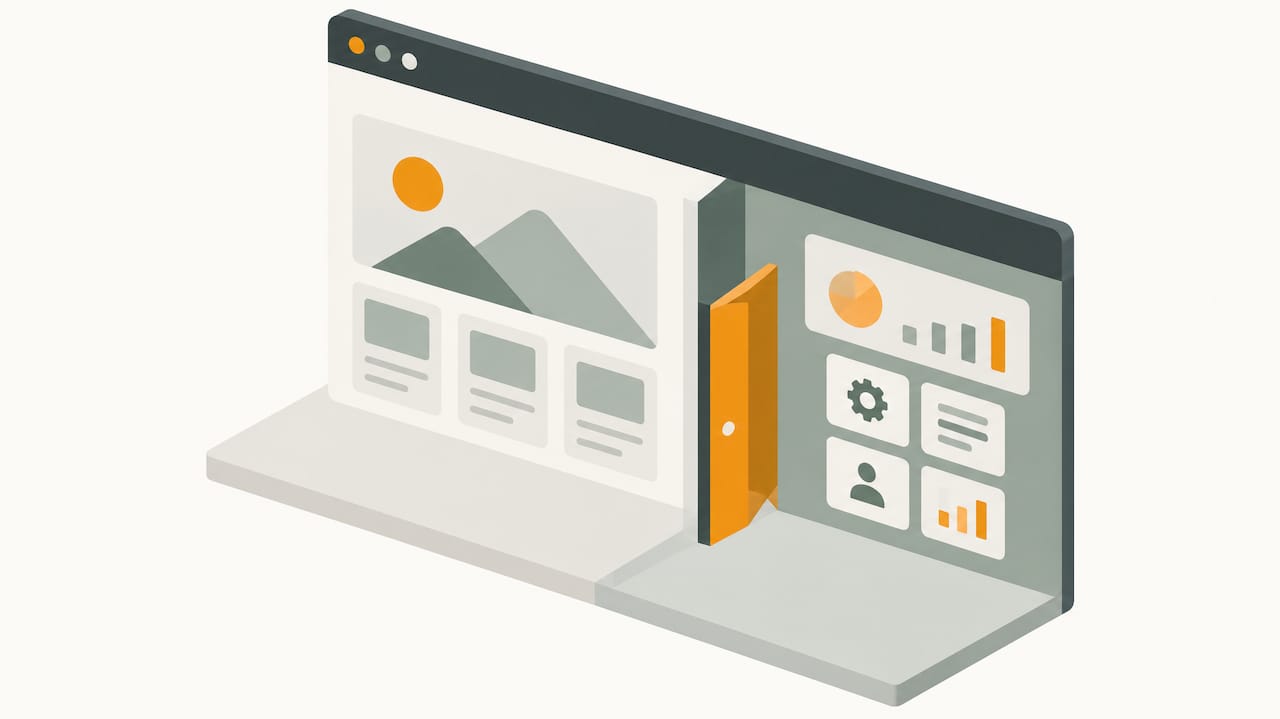
A website presents information about your business. A web app lets people do something: log in, place an order, schedule a service, run a quote, or manage their own data. If your goal is to be found, trusted and contacted, you need a website. If your goal is to let customers or staff complete a task inside a browser, you need a web application. Many businesses need a website with a small web app built into it, and that combination is often the smartest first step.
This guide explains the difference in plain terms, shows where the two overlap, compares cost and upkeep, and gives you a way to decide before you spend money on the wrong build.
TL;DR
- A website mainly delivers information and content. A web app delivers interaction: accounts, data entry, calculations and real-time updates.
- The line is blurry. A modern business website can contain web app features, such as a quote tool, a customer portal or an online store.
- Web apps usually cost more to build and host, and they need ongoing security and maintenance work, because they run custom logic and store data.
- Start from the task your visitor must complete, not from the technology. If the task is “learn and contact us,” build a website. If it is “do the work here,” build a web app.
- For most small and mid-sized companies, the right answer is a strong website first, with one or two app-like features added where they pay for themselves.
Table of Contents
- What is a website?
- What is a web application?
- Web app vs website: the key differences
- Where the two overlap
- Common examples, sorted
- Advantages of a web app
- Cost, time and upkeep
- Security and maintenance
- How to decide: a practical framework
- Why the website still comes first
- Our perspective
- Talk to us about your build
- FAQ
- Sources
What is a website?
A website is a collection of connected pages that share a domain and exist mainly to provide information and content. Think of a company site with a home page, service pages, a portfolio, a blog and a contact form. A visitor reads, watches, compares and then decides whether to reach out.
Technically, the simplest version is a set of files stored on a server. UC Santa Barbara’s computer science course materials describe a static webpage as an HTML file held on a server and returned when a browser asks for it. The page is largely predetermined: every visitor gets the same thing.
Most business sites today are a step beyond that. They run on a content management system, so your team can edit pages without touching code. They still behave like a website, though, because the point is to publish content that people read.
A website is the right tool when you need to:
- Explain what you sell and who it is for
- Build credibility with a portfolio, testimonials and company history
- Rank in search for the services you offer
- Collect inquiries through forms and phone calls
- Publish articles that bring in new buyers
What is a web application?
A web application is software you use through a browser. TechTarget defines it as an application program stored on a remote server and delivered through a browser. AWS describes it the same way: software that runs in the browser, backed by logic on a web server, so users get complex functionality without installing anything.
The difference in how it works matters. In the UC Santa Barbara materials, a web app runs custom code on the server, the client or both, and uses that code to compute a response from each request. Two users can send the same request and get different results because the app knows who they are and what data belongs to them.
Typical capabilities of web apps include:
- Data processing. Creating, reading, updating and deleting records. freeCodeCamp notes that this is common in web apps and part of why they are harder to build than informational sites.
- User authentication. Accounts, passwords and permissions, so each person sees only what they should.
- Real-time updates. TechTarget lists data processing, authentication and real-time updates as common web-app capabilities, with online banking, social platforms and ecommerce as examples.
In a business setting, that might be a dealer ordering portal for a manufacturer, a client dashboard for an agency, a scheduling tool for a service company, a product configurator, or a member area for a nonprofit.
Web app vs website: the key differences
| Website | Web app | |
|---|---|---|
| Main purpose | Inform, persuade, generate inquiries | Let users complete tasks |
| Content | Mostly the same for every visitor | Changes by user, input and data |
| Accounts and login | Usually not required | Commonly required |
| Data handling | Light: forms, comments | Heavy: records created, edited, stored |
| Build complexity | Lower | Higher |
| Hosting needs | Modest | Often adds databases and more server resources |
| Security exposure | Smaller surface | Larger surface: authentication, permissions, stored data |
| Search visibility | Strong: public pages are easy to index | Often limited to public marketing pages around the app |
| Typical examples | Company site, portfolio, blog | Customer portal, booking system, SaaS dashboard |
A few of these deserve a closer look.
Interaction
On a website, visitors mostly consume. They might fill in a contact form, but nothing about the experience depends on who they are. On a web app, the interaction is the product. Take the interface away and there is nothing left.
Authentication
Per freeCodeCamp, ordinary websites do not normally require authentication, while web apps commonly do because they offer broader services tied to individual users. That is a useful test: if your visitors need to sign in to get value, you are building an app.
Hosting
FreeCodeCamp also points out that web applications generally cost more to host than websites, because they need extra components such as databases. A brochure site can live on modest hosting. An app that stores customer orders needs more capacity, backups and monitoring.
Search visibility
A website is built to be found. Its public pages can target the phrases buyers search for. Content behind a login cannot be indexed, so even a company that runs a big web app still needs public pages that explain it. This is why app businesses so often end up running a website too. If search matters to you, see our overview of what SEO is and why it matters.
Where the two overlap
The honest answer to “can a website also be a web app?” is yes. AWS notes that modern websites can incorporate complex web-application functionality, so the boundary is not absolute. Indeed makes a similar point: both run in browsers, commonly share the same front-end and back-end technologies, and can both include interactivity and authentication.
Mozilla goes further, saying the line is blurred because modern sites can support banking, chat, video and games. It also describes web apps that store data locally, use device features with permission, send notifications or work offline.
That last group has a name: progressive web apps. MDN explains that a progressive web app is built with web technologies but gives an experience like a platform-specific app. Like a website, it runs across devices from a single codebase. Like a native app, it can be installed, work offline and integrate with the device. For many companies this is a practical middle path: you get app-like behavior without building and maintaining separate iPhone and Android apps.
You also meet the overlap in everyday business tools:
- A product page with a configurator. The page is content, the configurator is an app.
- An online store. Product pages are website content. The cart, checkout, inventory and order history are web app functions.
- A quote calculator. A simple tool on a service page that computes a price from inputs is a small web app living inside a website.
- A custom form that routes leads. When a form validates input, qualifies the lead and pushes data into your CRM, it behaves like an app. We cover that in our piece on custom web form development.
So the useful question is less “which one is it?” and more “how much app does this project need?”
Common examples, sorted
People often ask whether well-known products are websites or web apps. A rough guide:
- A law firm’s or manufacturer’s marketing site: website.
- A blog or news site: website, with some interactive pieces such as search and comments.
- Online banking: web app. It depends on authentication, personal data and live updates.
- A social platform: web app. Content is generated and personalized per user.
- A retail store: a hybrid. Catalog pages behave like a website, while cart and account areas behave like an app.
- Project management or accounting software in a browser: web app.
If you want a quick test, ask three questions. Does it change based on who is logged in? Do users create or edit data? Does it do anything when you click that goes beyond showing another page? Two or three yeses mean web app.
Advantages of a web app
Web apps earn their higher price when the task itself is the value. The benefits cited most often:
- No installation. AWS says web apps let businesses deliver services and exchange information remotely, with complex functionality available through a browser and nothing for users to install.
- Works on many devices. The U.S. Chamber of Commerce notes that browser-based software can be reached from internet-enabled devices and operating systems.
- Updates arrive automatically. The same Chamber page says providers typically push updates, and that this can reduce installation, hardware and maintenance burdens. TechTarget adds scalability, enhanced security, real-time collaboration and cost-effective cross-browser development to its list of common benefits.
- Self-service. Customers check an order, download an invoice or book a time without calling you. Staff time goes to higher-value work.
- Your process, in software. A custom app can encode how your company actually works, which off-the-shelf tools rarely do.
TechTarget is also clear about the limits: web apps depend on connectivity and can run into browser- and network-related performance limits. If your users work in places with poor signal, plan for that, perhaps with offline support.
Cost, time and upkeep
We do not publish a price sheet, because both categories span a huge range and every project depends on scope. What we can say is what drives the number.
Researchers writing in the Journal of Medical Internet Research examined how to choose between mobile apps and responsive websites and named the factors that matter: time, cost, access to programmers, data collection, security needs and the components the product requires. That list translates well to any business project.
What pushes a website’s cost up: number of pages, custom design versus a template, content creation, photography and video, integrations, accessibility work and search optimization.
What pushes a web app’s cost up, beyond all of the above:
- Custom logic. Every rule, calculation and workflow has to be specified, built and tested.
- User accounts and permissions. Who can see, edit and delete what.
- Database design. Structuring data so it stays accurate and fast as it grows.
- Integrations. Payment processors, ERP or CRM systems, shipping and tax tools.
- Testing. More states and edge cases mean more testing time.
- Hosting and monitoring. As noted, apps tend to need more infrastructure than a brochure site.
Time follows cost. A focused marketing site can move from kickoff to launch far faster than a custom application, because the app needs discovery, specification and iterative testing before anyone sees a finished product. If you are weighing options, our short piece on pricing mobile apps and web design explains how project scope shapes the quote.
Security and maintenance
Both types need care, but the stakes differ. A website with a contact form holds little sensitive data. A web app holds customer records, order history, perhaps payment or health information, and that raises the cost of a mistake.
The OWASP Authorization Cheat Sheet is a standard reference for developers. Its guidance applies to either build: decide which resources are public and which are restricted, apply access controls consistently, secure cloud storage and test your authorization. It also specifically says static resources, such as files and images, belong inside your access-control policy. Whether something should be public depends on how sensitive the data is and the context.
Do not assume an app is safer than a site, or the reverse. Northeastern University reported research on privacy finding that exposure depends on the service and platform, and that in 40% of the cases studied, websites leaked more types of information than apps. The lesson is that how the product is built and what data flows out matter more than the label.
Plan for ongoing work in either case:
- Software updates and security patches
- Backups and restore tests
- Uptime monitoring
- Accessibility checks as content and features change
- Performance reviews
How to decide: a practical framework
Work through these questions in order.
- What must a visitor accomplish? If the answer is “understand us and get in touch,” you need a website. If it is “complete a transaction or manage something,” you need an app, or an app feature.
- Who is the user? Anonymous prospects point to a website. Known customers, dealers or employees using the tool repeatedly point to an app.
- Does the experience change per person? If not, you do not need accounts, and you probably do not need an app.
- How will people find it? If search is how you win customers, you need public, well-optimized pages. An app alone will not provide them.
- How certain are you about the workflow? If the process is still being figured out, launch the smallest version that tests it. Do not build the full system on a guess.
- What can you maintain? An app is a living product. Budget for it the way you would budget for an employee, not a one-time purchase.
Quick scenarios
- A regional manufacturer wants more qualified leads. A fast, well-structured website with strong product pages and smart forms. Add a dealer portal later if order volume justifies it.
- A nonprofit wants to take donations and manage volunteers. A website for awareness, plus an app-like donation flow and volunteer sign-up. Full volunteer management software might come second.
- A service company wants customers to book online. A website with an embedded scheduling tool. That is a small web app inside a larger site.
- A distributor wants customers to reorder and track shipments. Here the app is the core. Keep a website for marketing and search, and build the ordering portal behind a login.
- A retailer wants to sell online. This is both by nature. Our guide to ecommerce website development services walks through what to ask for.
Why the website still comes first
Even if your long-term plan involves a web app, the public website usually has to come first, or at least alongside it. It builds trust, ranks for the searches your buyers run, and explains the app to people who have never seen it. A visitor deciding whether to sign up for something wants proof: who you are, who else uses it, what it costs, how to reach a human.
The website also feeds the app. A well-built site turns strangers into leads, and leads into users. If lead generation is your priority, our resources on lead generation website design and improving website conversion rate show how pages and interactive elements work together.
Our perspective
We have built websites and applications for businesses for more than 38 years, and the most common mistake we see is starting with the technology. A company decides it needs “an app” because a competitor has one, when what it really needs is a site that does a better job of earning inquiries. Less often, a company keeps patching a brochure site to do work that deserves proper software.
Our advice is to be strict about the task. Write down the one thing your visitor or employee must be able to do, then build the least complicated thing that does it well. That is usually a website with one or two purposeful interactive features: a form that qualifies leads, a calculator, a portal for repeat customers. Prove the value, then expand.
The second thing we push is design that starts with the user. An app that confuses people costs you more than no app, and a website that hides your phone number does the same. Whichever you choose, accessibility, speed and clear next steps are not extras.
The third is honesty about upkeep. Software you launch is software you maintain. We would rather scope a smaller build that you can keep healthy than a large one that ages badly.
— Greg
Talk to us about your build
If you are deciding between a website, a web app or both, we can help you scope it. Marcy Design is a Columbus, Ohio agency that handles website design, web development, ecommerce, mobile and application work, hosting and SEO under one roof, so the public site and any interactive features are planned together instead of bolted on later.

Bring us the task you want to solve and we will tell you plainly what it takes. You can see the full range on our services page, or look at how we approach ecommerce web applications if you plan to sell online.
FAQ
Is Facebook a web app or a website?
It is a web app. Every user sees personalized content, creates data such as posts and messages, and must sign in. It also has public pages, so it blends both, but the core experience depends on accounts and interaction.
Can a website be a web app?
Yes. Modern sites often include web-app functionality such as logins, carts, calculators or dashboards. AWS notes that the boundary is not absolute. What matters is how much of the site depends on user input and personalized data.
Is a web app cheaper than a mobile app?
Often, though it depends on the project. A web app runs in the browser on any device from one codebase, and a progressive web app can add installation and offline use. A native app can reach more device features and appear in app stores, but you may need separate builds for each platform.
Do I need a website if I have a web app?
Yes, in nearly every case. Pages behind a login cannot be found through search, so you need public pages that explain the product, show proof and attract new users. The website and the app work as one system.
Which is more secure, a website or a web app?
Neither is secure by default. Research from Northeastern found that privacy exposure depends on the service and how it is implemented. A web app holds more sensitive data, so it needs stronger access controls, testing and monitoring, as OWASP guidance describes.
Sources
- What is Web Application (Web Apps) and its Benefits? (TechTarget)
- What is a Web App? (AWS)
- Website vs. Web Application (Indeed)
- App vs Web App (Mozilla)
- Progressive web apps (MDN)
- Webapps vs. Websites (UC Santa Barbara CS156)
- What is the Difference Between a Website and a Web Application? (freeCodeCamp)
- What Is a SaaS? (U.S. Chamber of Commerce)
- Choosing between responsive-design websites versus mobile apps (JMIR, via PMC)
- Authorization Cheat Sheet (OWASP)
- App Vs. Website: Which Best Protects Your Privacy? (Northeastern)