
 614.224.6226
To optimize your Google Business Profile, claim and verify it, fill in every field accurately, choose the right primary category, keep it active with photos, posts and review replies, and make sure your name, address and phone number match what appears on your website and across the web. Google says relevance, distance and prominence drive local results, and you can influence two of those three. This guide walks through each step in the order we would do it for a small business.
TL;DR
- Google’s local ranking tips come down to a verified, complete, accurate profile. Accuracy matters more than cleverness.
- Your primary category, hours, services and description tell Google which searches you should appear for. Get these right before anything else.
- Reviews, photos and regular updates show that the business is real and active. Collect reviews at a steady pace and answer every one.
- Mismatched business details are a common cause of suspensions. Keep your profile, website and registration consistent, and appeal rather than recreating a suspended profile.
- Google Business Profile is free, and it is not being discontinued. It is still where local search starts for most service businesses.
Table of Contents
- What Google actually weighs in local results
- Step 1: Claim, verify and set up the profile correctly
- Step 2: Use your real business name and the right categories
- Step 3: Fill in every field, then keep it accurate
- Step 4: Photos, posts and the signal of being active
- Step 5: Reviews, the part owners put off
- Step 6: Citations and consistency across the web
- Step 7: Local links and the website behind the profile
- Step 8: Use Google’s own tools, including Gemini
- Step 9: If your profile gets suspended
- Our perspective: treat the profile as part of your brand, not a listing
- How we can help
- A 30-day plan you can actually finish
- FAQ
- Sources
What Google actually weighs in local results
Google’s own best practices playbook for service businesses frames local visibility around three ideas: relevance (how well your profile matches the search), distance (how close you are to the searcher or the location they named) and prominence (how well known and trusted your business appears to be).
You cannot change distance. A plumber in Hilliard will not outrank a closer plumber for someone standing in Hilliard, however many photos she uploads. But relevance and prominence respond to work:
- Relevance comes from categories, services, description, products and the match between your profile and your website.
- Prominence comes from reviews, links, mentions and citations across the web, and from the general strength of your site.
No checklist guarantees a position in the map results. What you can do is remove every reason for Google to doubt you and give it every reason to match you to the right searches.
Step 1: Claim, verify and set up the profile correctly
Google states that verifying your profile tells it you’re authorized to represent the business, which makes it more likely to show your information in search. Unverified profiles are at a disadvantage from day one.
Before you create anything, search for your business name and address. Many Columbus-area businesses already have a profile created by a former owner, an old agency or Google itself. Claim that one rather than creating a duplicate.
Then decide how to present your location. Google’s guidelines for representing your business cover businesses with a physical location that customers can visit and businesses that travel to customers. This choice matters:
| Type of business | How to set it up |
|---|---|
| Storefront, office or showroom customers can visit | Show your address and set hours for when you are staffed |
| Mobile or home-visit service (cleaning, lawn care, HVAC calls) | Set up as a service area business and hide the address if customers do not visit you |
| Hybrid (a shop that also makes service calls) | Show the address and add the service areas you serve |
Getting this wrong is a classic cause of trouble. One owner in a Google Business Profile Community thread described a suspension after showing a physical address for a mobile cleaning business, then switching to a service area setup.
Step 2: Use your real business name and the right categories
Use the name customers see on your sign, invoices and website. Google’s guidelines ask you to represent the business as it is consistently represented in the real world, so adding keywords or a city name to the profile name is a risk with no upside. A suspension costs far more than the ranking boost you hoped for.
Categories are different, and they are where you have real control. Google’s playbook says the right business category defines your services and helps you appear in relevant searches. Our approach:
- Pick the primary category that describes your core revenue, not the broadest label available. “Personal injury attorney” beats “Lawyer” if that is your work.
- Add secondary categories only for things you genuinely do. Three or four honest ones are better than ten stretched ones.
- Look at the profiles of businesses ranking above you for your main search and note which primary category they chose. You are looking for the most accurate label, not something to copy blindly.
- Revisit categories once or twice a year. Google adds and retires them.
Step 3: Fill in every field, then keep it accurate
Google offers a Profile Strength indicator that helps you spot and fill in missing information. Treat it as a to-do list. A complete profile gives Google more to match against and gives customers fewer reasons to call before they trust you.
Work through these in order:
- Phone and website. Use a local number that you answer. Link to the most relevant page, which is often your homepage but can be a location page if you have several.
- Hours. Enter regular hours, then update holidays and special hours before they happen. Wrong hours are among the quickest ways to earn a one-star review.
- Description. Write it for a person. Say what you do, who you serve and where, in plain sentences. Skip phone numbers, links and promotional pricing.
- Services and products. List each service with a short description. This feeds relevance for the specific searches that bring buyers, such as “emergency water heater repair” rather than “plumber.”
- Attributes. Mark what applies: wheelchair accessible entrance, women-led, veteran-owned, online appointments and so on. Only select what is true.
- Service areas. Name the cities and neighborhoods you actually serve. For central Ohio that might be Dublin, Westerville, Gahanna, Grandview and Reynoldsburg, not the whole state.
Step 4: Photos, posts and the signal of being active
Google’s guidance encourages adding photos and keeping your information up to date. A profile that looks abandoned tells customers, and likely Google, that the business might be closed or careless.
Photos that earn their place:
- Exterior shot so people can recognize the building and parking.
- Interior, team and work-in-progress photos that show what a customer will really get.
- Your logo and a cover photo.
- Real project photos, tagged with the job type in your own file names and captions.
Use your own photos, taken recently. Stock images do nothing for trust. If you need a day of professional work done, creative photography for your business can serve the profile, your website and your printed materials at once.
Posts are optional but cheap. Share an offer, a seasonal reminder, a finished project or an event. A weekly or fortnightly rhythm you can keep beats a burst of ten posts followed by silence.
Step 5: Reviews, the part owners put off
Google lists reviews among the factors affecting local prominence, and customers read them before they call. Three habits matter most.
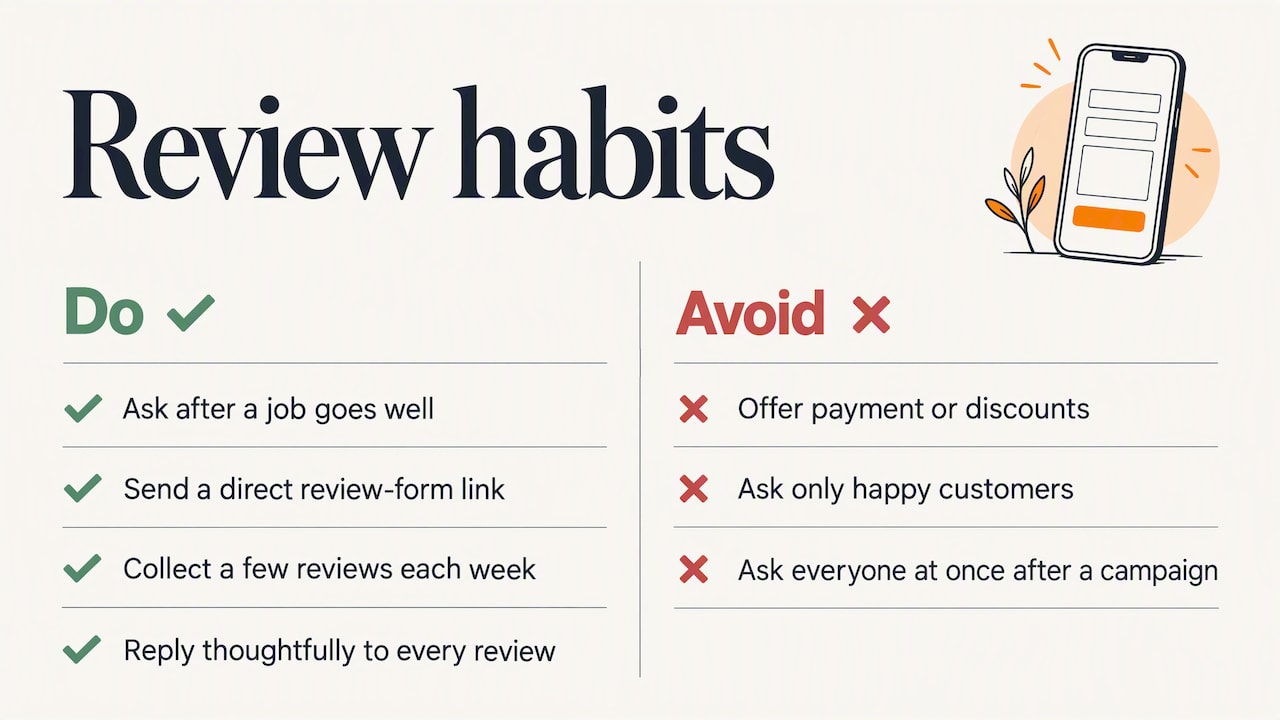
Ask at the right moment. Ask right after a job goes well, by text or email, with a direct link to your review form. Do not offer payment or discounts for reviews, and do not review-gate by asking only happy customers. Google’s policies prohibit soliciting reviews in ways that distort them.
Keep the pace steady. Owners in the Business Profile Community sometimes report that verified customer reviews fail to appear. That thread is anecdotal, not an official explanation, but it is a good reason to collect reviews as a routine, a few each week, rather than asking everyone at once after a campaign. Sudden spikes look unnatural to automated filters.
Reply to everyone. Thank the people who praise you in a sentence that references the job. Answer criticism calmly, state the facts, offer to fix it offline and do not argue. Future customers read your reply more closely than the complaint. We have written separately about handling bitter online complaints, and the same principles apply here.
Step 6: Citations and consistency across the web
A citation is any mention of your business name, address and phone number on another site: directories, chambers of commerce, industry associations, data aggregators and local news. They help confirm that your details are real and consistent.
You do not need hundreds. You need the right ones, identical everywhere:
- Pick one exact format for your name, address and phone number, including suite numbers and abbreviations, and write it down.
- Fix the major general directories first, then industry-specific ones (legal, medical, trades, manufacturing).
- Add your local chamber of commerce or business association listing. A Dublin, Hilliard or Westerville chamber page is both a citation and a local link.
- Search your phone number and old addresses to find outdated listings, and correct or remove them.
- Make sure the details match your website footer, contact page and your registration records.
Inconsistency is not just a ranking nuisance. Google’s community guidance on suspensions points to mismatched name, address or phone details as a frequent trigger. If you have moved, rebranded or changed your legal name, update everything in the same week.
Step 7: Local links and the website behind the profile
Your profile links to your website, and the quality of that website feeds prominence. A profile pointing to a slow, thin or outdated site wastes the click it earned. A few practical points:
- Give each location or major service its own page with unique text, the address, hours, a map and local proof such as projects and testimonials.
- Make sure the page works on a phone. Most local searches happen there.
- Earn local links by sponsoring a youth team, joining a chamber, speaking at an industry event, supplying a quote to a local reporter or partnering with neighboring businesses. Links that a real Columbus-area organization gives you for a real reason are worth more than bulk directory submissions.
- Check that the site is accessible and fast, since both affect whether visitors stay.
If you are unsure whether the site is carrying its weight, our article on whether your website is working for you is a good self-audit. Local SEO and a Google Business Profile work together: the profile wins the click, the site wins the customer. Our SEO solutions page describes how we approach the site side.
Step 8: Use Google’s own tools, including Gemini
Google now lets you manage your profile through the Gemini web app. Per Google’s help page, once Business Profile is connected, you can work conversationally to update details, draft review replies, create posts and see insights such as direction requests. Check Google’s page for the current requirements: it notes the feature is tied to personal Google Accounts linked to a verified profile, and that a setting called Keep Activity must be on.
Use it as a drafting assistant. Read every reply before it goes out. A generic, obviously automated response to a customer with a real problem does more harm than silence.
Step 9: If your profile gets suspended
Suspensions are stressful because the phone stops ringing. Common causes include a business name, address or phone number that does not match your registration or website, an address shown for a business customers cannot visit, or a profile that breaks Google’s representation guidelines.
What to do:
- Read Google’s guidelines and find which one you may have broken.
- Fix the profile first: correct the name, hide the address if it is a service area business, update the category.
- Gather evidence: business license, utility bill, signage photos, matching website details.
- Submit the official appeal. In the community thread cited above, a reviewing time of a few working days is described, but individual cases vary.
- Do not delete and recreate the profile. That often leads to another suspension.
Our perspective: treat the profile as part of your brand, not a listing
After more than 38 years of helping businesses with branding, websites and marketing, we see the same pattern. The businesses that do well on Google Maps are not using tricks. They are consistent. Their sign, website, invoices, vehicle wraps, social pages and Google profile all say the same thing, in the same way, and someone is paying attention to them.
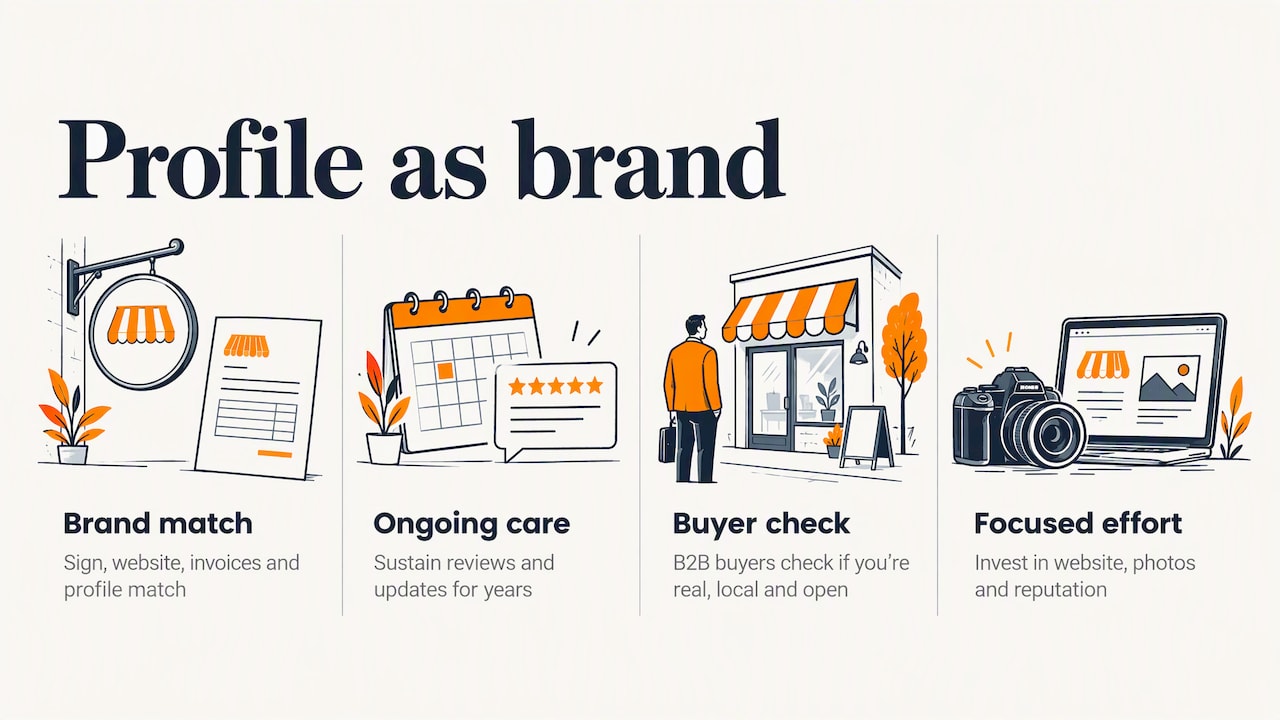
That is why we treat the profile as a piece of brand management rather than a one-time setup task. A new owner or a rebrand that updates the logo but forgets the profile creates exactly the kind of mismatch that confuses customers and search engines. For manufacturers and B2B companies in particular, the profile is often the first thing a buyer checks to see whether you are real, local and open. It should hold up.
Our advice is plain. Do the basics completely. Pick a rhythm of reviews and updates you can sustain for years. Spend your effort on your website, your photos and your reputation, where the compounding value is, and be suspicious of anyone who promises a guaranteed top spot in the map pack.
— Greg
How we can help
If you would rather not carry this yourself, we help businesses connect the profile to the rest of their marketing: a website that converts local visitors, SEO, photography and consistent branding. Start with our SEO solutions, or see our website design work if the site is what needs fixing first. You can also reach us through marcy.com to talk through your situation.
A 30-day plan you can actually finish
| Week | Focus | Tasks |
|---|---|---|
| 1 | Foundation | Claim and verify the profile, settle name and location type, choose categories, check Profile Strength |
| 2 | Completeness | Hours, description, services, attributes, service areas, website link |
| 3 | Proof | Upload 15 to 20 real photos, send your first review requests, reply to all existing reviews |
| 4 | Consistency | Audit citations, fix mismatches, add chamber and industry listings, schedule a monthly check |
After the first month, spend 30 minutes a week: reply to new reviews, add a photo or post, check for questions or edits Google or users have suggested.
FAQ
How much does Google Business Profile optimization cost?
Creating and managing the profile is free. What costs money is time, or paying an agency or freelancer to do the setup and ongoing management. Price varies widely with the number of locations and how much review, content and website work is included, so ask any provider for a written scope.
Is Google Business Profile being discontinued?
No. Google continues to develop it and recently added Gemini web app support for managing profiles. The old name, Google My Business, was retired, but the product lives on as Google Business Profile.
How often should I update my profile?
Check it weekly if you can, and at minimum monthly. Reply to new reviews, add recent photos or a post, and always update hours before holidays. Review all fields at least twice a year for changes in services or categories.
Do I need a website if I have a Google Business Profile?
Yes, in practice. The profile can get you found, but the website explains your services, builds credibility and captures leads. Google also uses your site as part of understanding what your business does, so keep the two consistent.
Sources
- Tips to improve your local ranking on Google, Google Business Profile Help
- GBP Best Practices Playbook 2026 (Services), Google
- Guidelines for representing your business on Google
- Manage your Profile Strength, Google Business Profile Help
- Manage your Business Profile with the Gemini web app
- Google Business suspension, Business Profile Community
- Verified customer reviews not appearing, Business Profile Community